OpenMediaGitHub

iOS · Android · macOS · Open source

Browse the real web, minus the parts you did not ask for.

OpenMedia opens real sites in a native web view and hides what you tell it to: app prompts, Reels, Shorts, ads, trackers. One full-screen page and one floating button. No backend.

For iPhone, iPad, Android and Mac. Linux and Windows are planned.

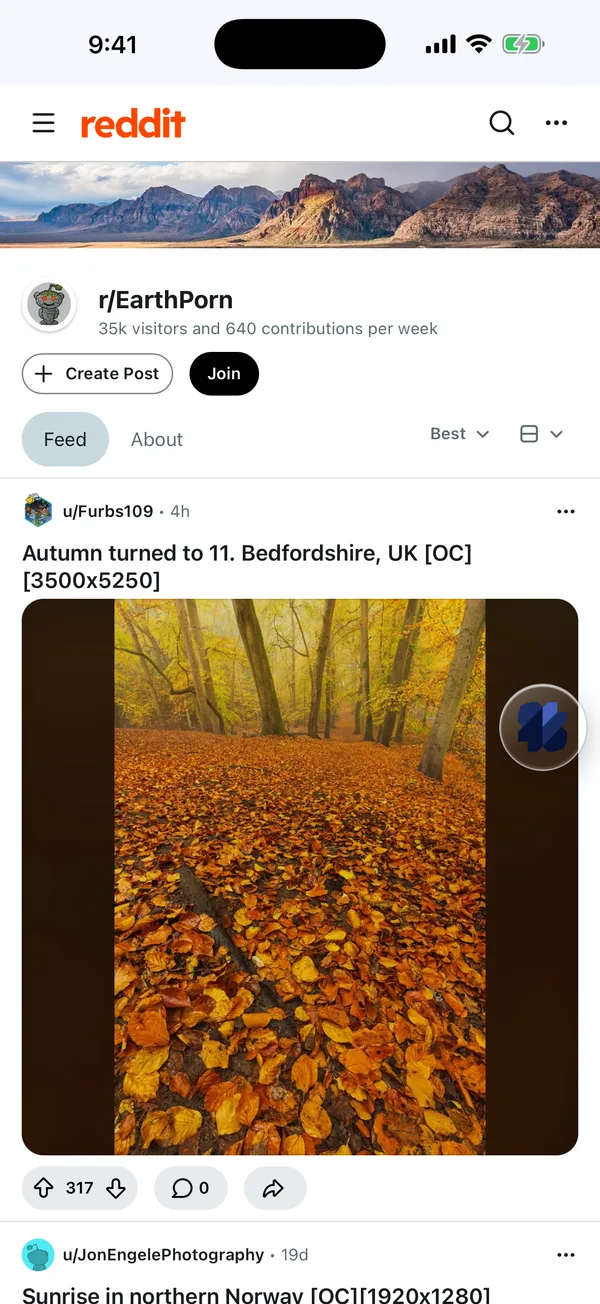
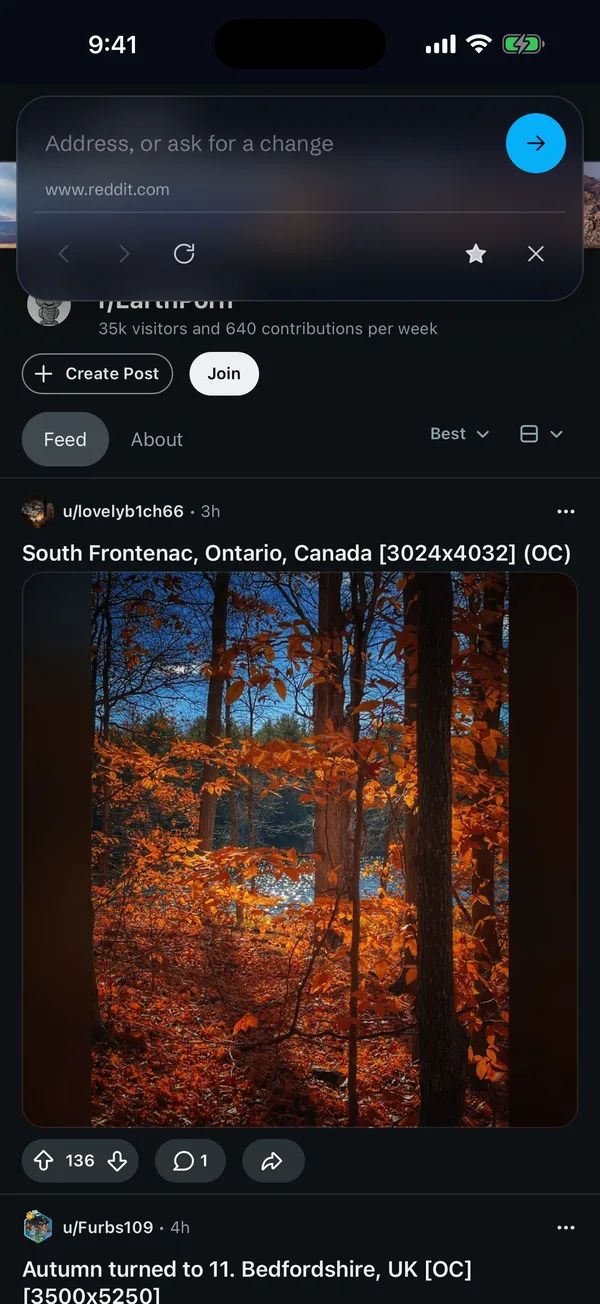
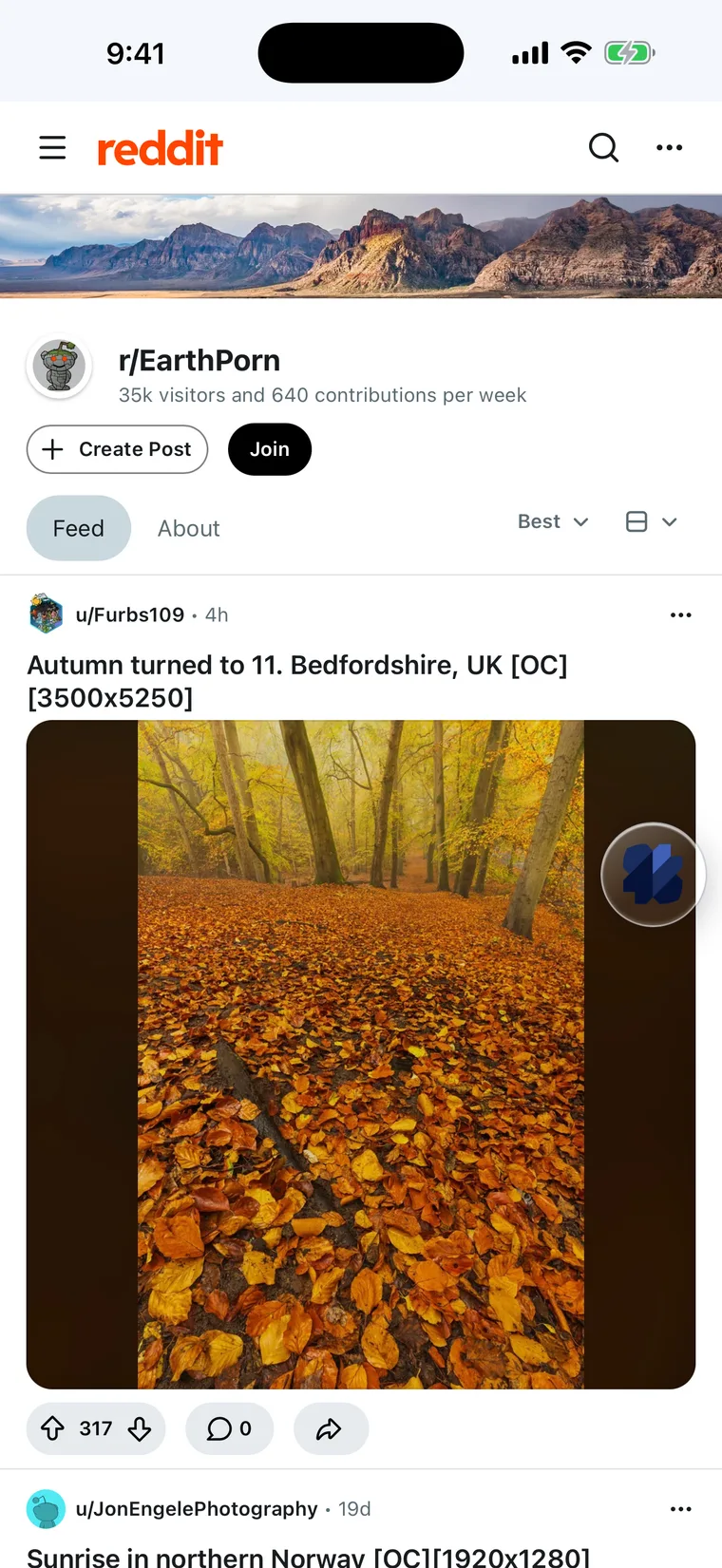
OpenMedia showing a Reddit landscape-photography community full screen, with no app-install prompt and one floating button at the right edge.
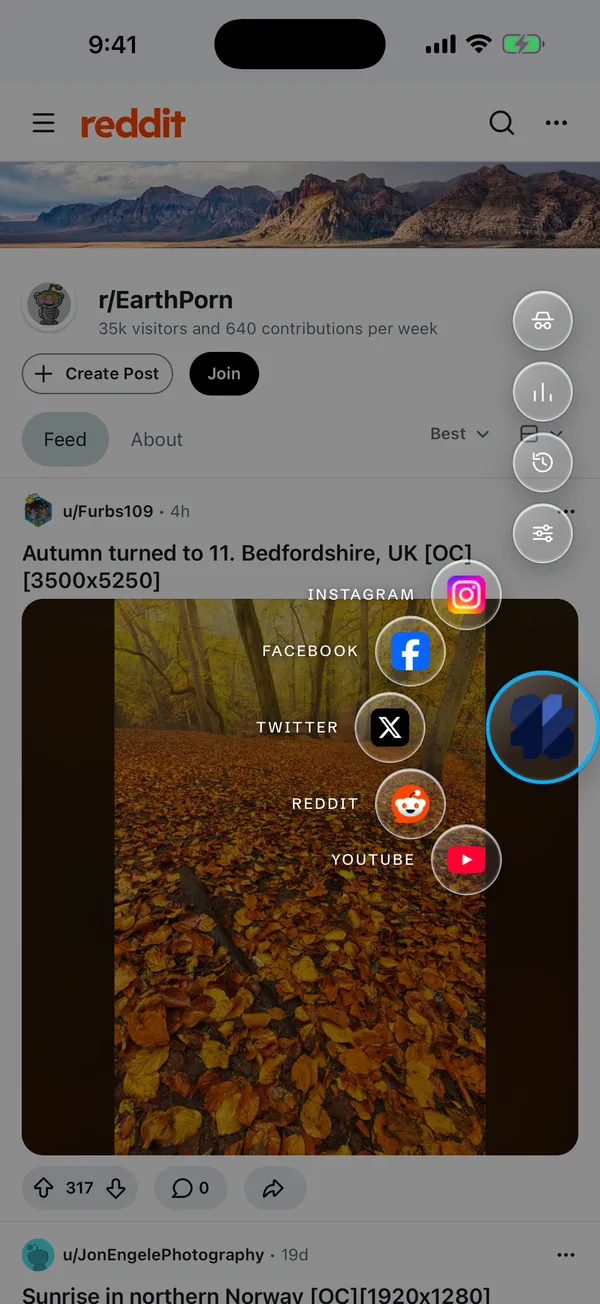
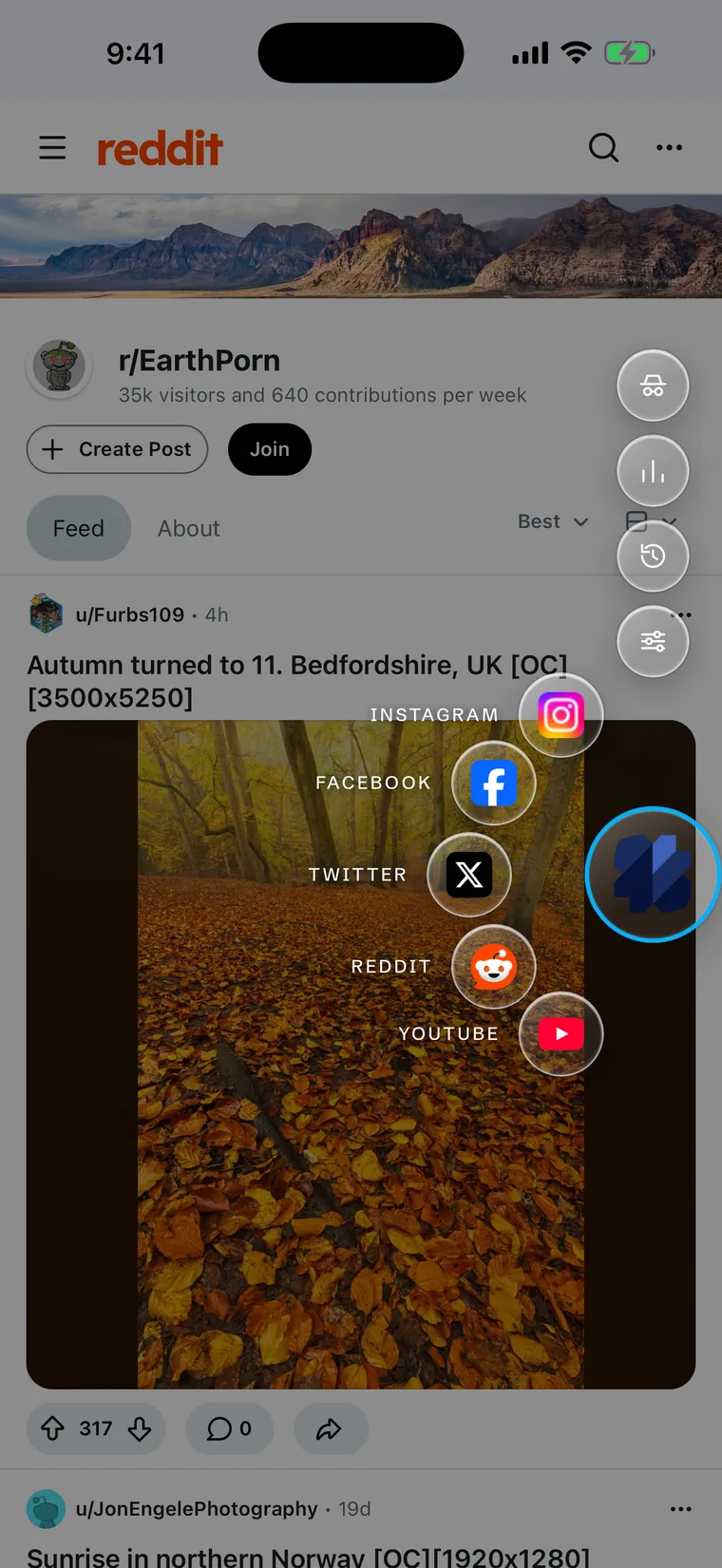
The floating button held down: favorites for Instagram, Facebook, X, Reddit and YouTube fan out from the screen edge, with settings, history and usage above.

The button

One button holds everything else.

The web fills the screen, from under the status bar to the bottom edge. A single glass button floats over it, and stays out of the way until you need it.

Tap
Slide in the address bar. Type an address, or ask for a change.
Hold
Your favorites fan out, with Incognito, Usage, History and Settings above them.
Hold, slide, lift
Open the favorite under your finger in one motion.
Drag
Park it on either edge. It remembers where.

Press and hold the button.

What it does

The site you chose. Less of what you did not.

Recipes

Switches for 18 sites. Data, not code.

Hide install prompts, pop-ups, Reels, Shorts, Stories and suggestions. A recipe is a declarative file, validated in Rust, injected at document start so removed things never flash. When a site changes, the recipe is fixed, not the app.

  • Instagram
  • Facebook
  • X
  • Reddit
  • YouTube
  • Threads
  • Telegram
  • TikTok
  • LinkedIn
  • +9 more
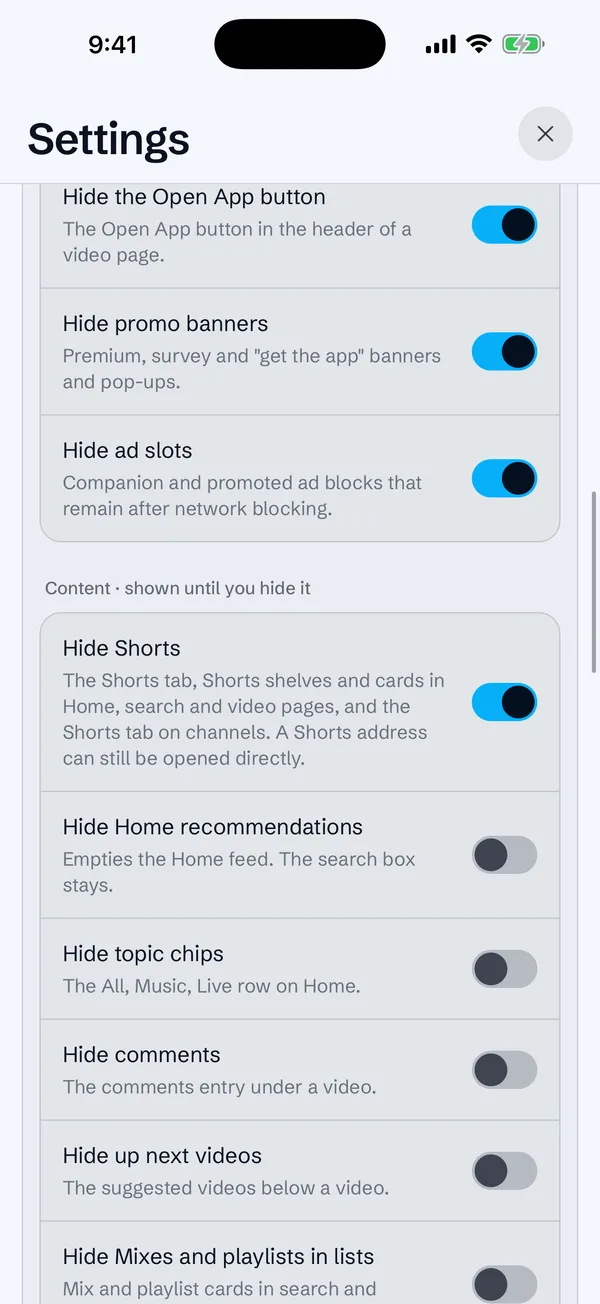
Settings showing the YouTube recipe: switches for the Open App button, promo banners, ad slots and Shorts.

Blocking

Ads and trackers, blocked before they load.

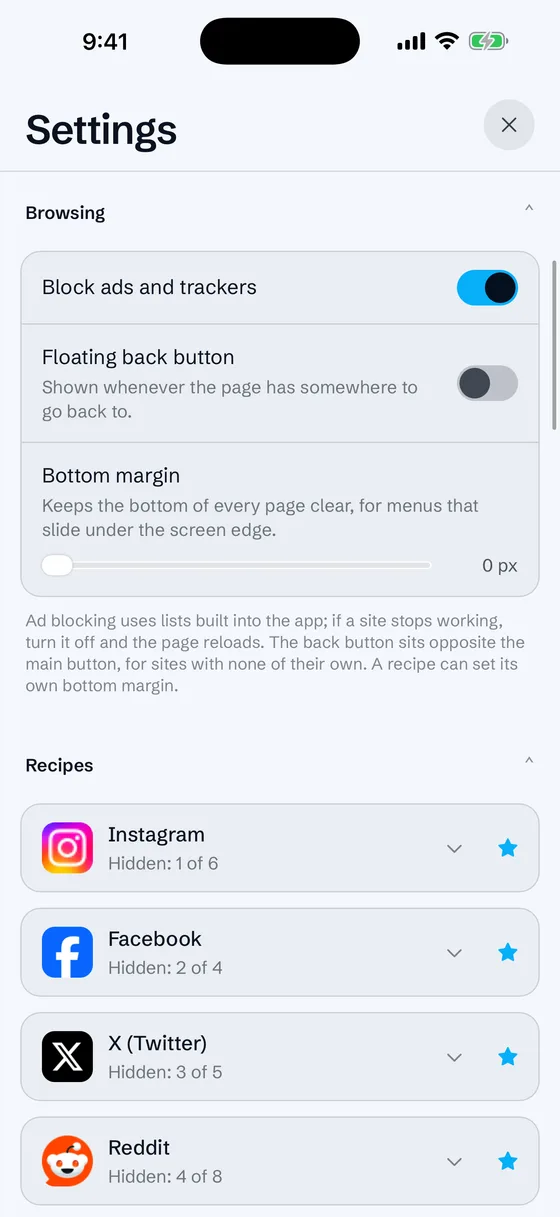
EasyList and EasyPrivacy are built into the app and compiled to WebKit content rules. One switch in Settings, no list downloads.

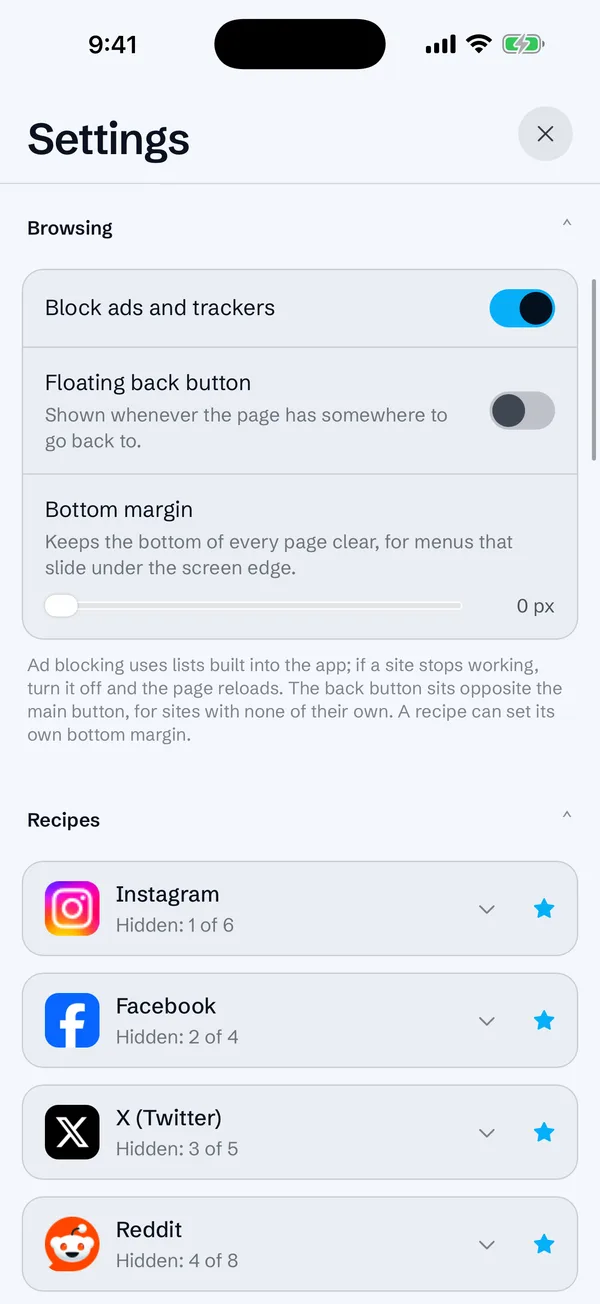
Settings with the Block ads and trackers switch turned on.

Usage

See where your time goes.

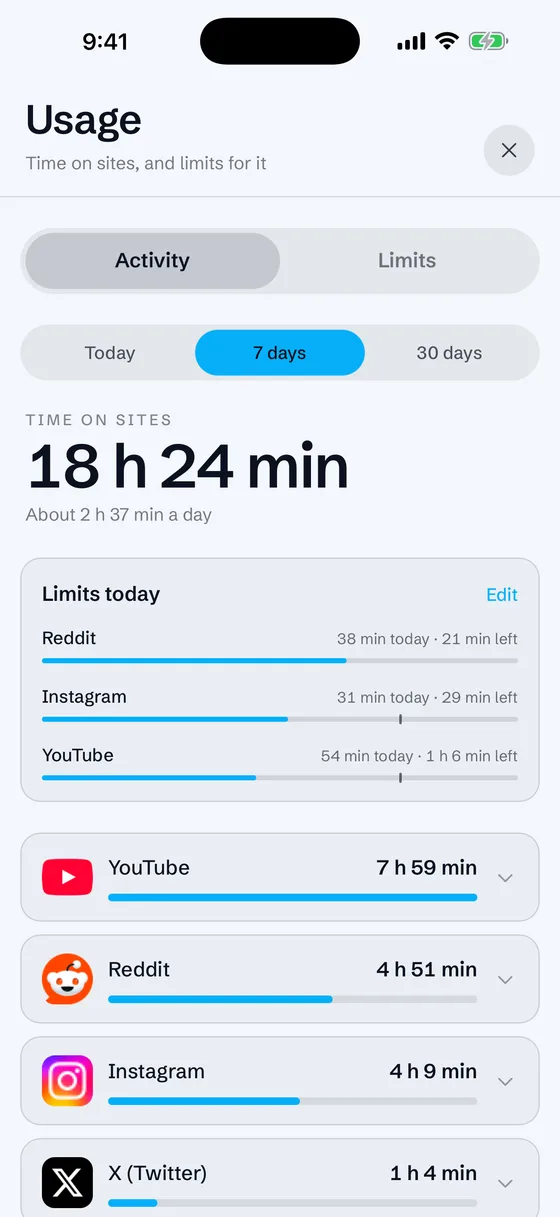
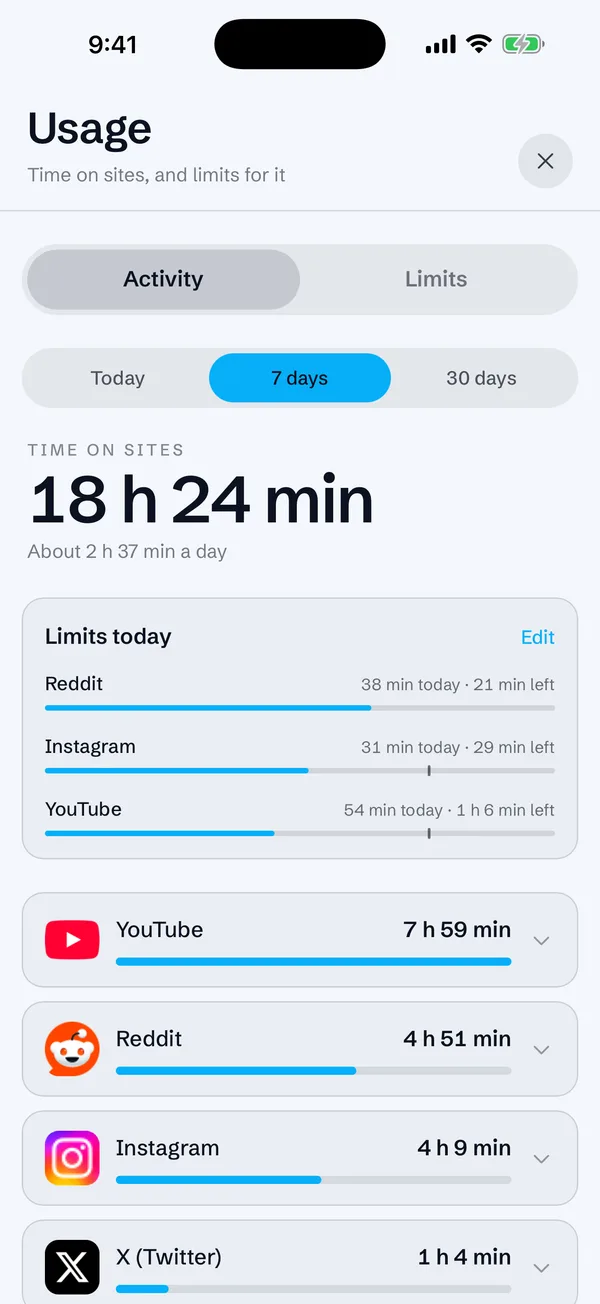
Foreground time per site and per section, over today, 7 or 30 days. Only site names, section names and seconds are stored: never addresses, searches or titles.

Usage sheet: 18 hours 24 minutes over seven days, with limits for Reddit, Instagram and YouTube and a bar per site. Sample data.

Limits

Set a limit. It sticks.

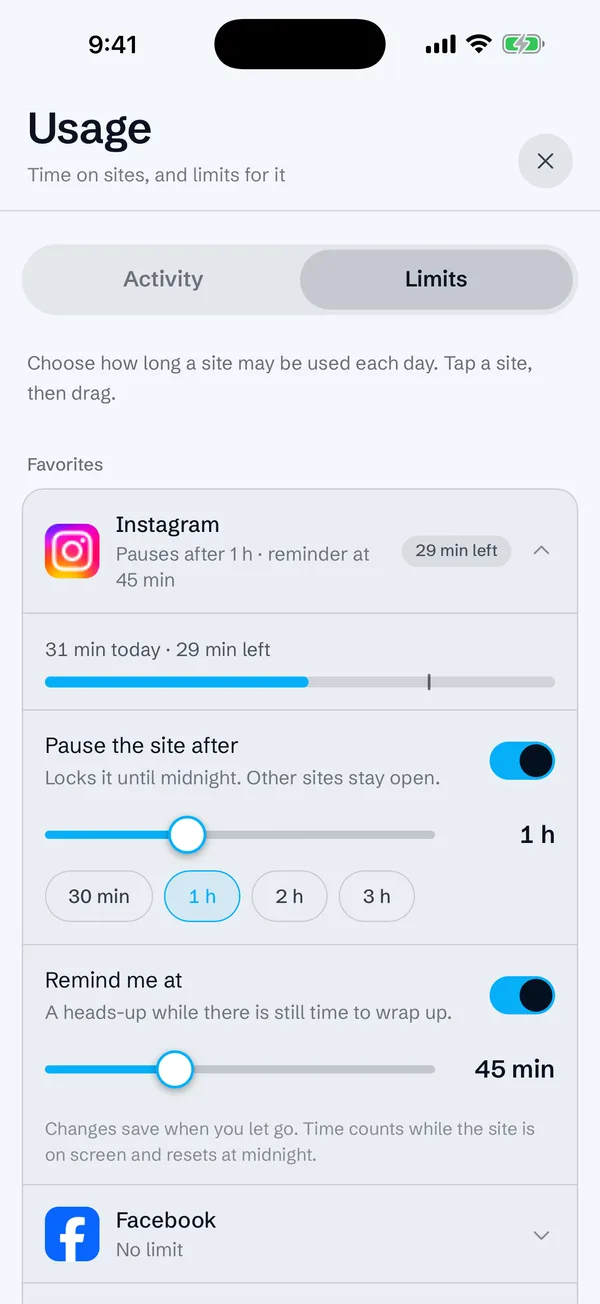
Pick a daily warning and a daily limit for any site by dragging a slider. A reminder slides in at the top. At the limit the site is blurred, with interaction, navigation and media stopped until midnight. Other sites stay open.

Limit editor for Instagram: pause after one hour, remind at 45 minutes.

AI assistant

Bring your own key. Preview what is sent.

Add Anthropic, OpenAI, Gemini, OpenRouter or a local OpenAI-compatible server. Describe a change in the command bar, see the redacted page structure that would be sent, then accept or reject the validated recipe it proposes. Keys sit in the system secure store (the Keychain on Apple devices), are read only in Rust, and never reach the interface.

Your cookies, passwords and typed text are not part of what goes out, and nothing goes out until you press Send.

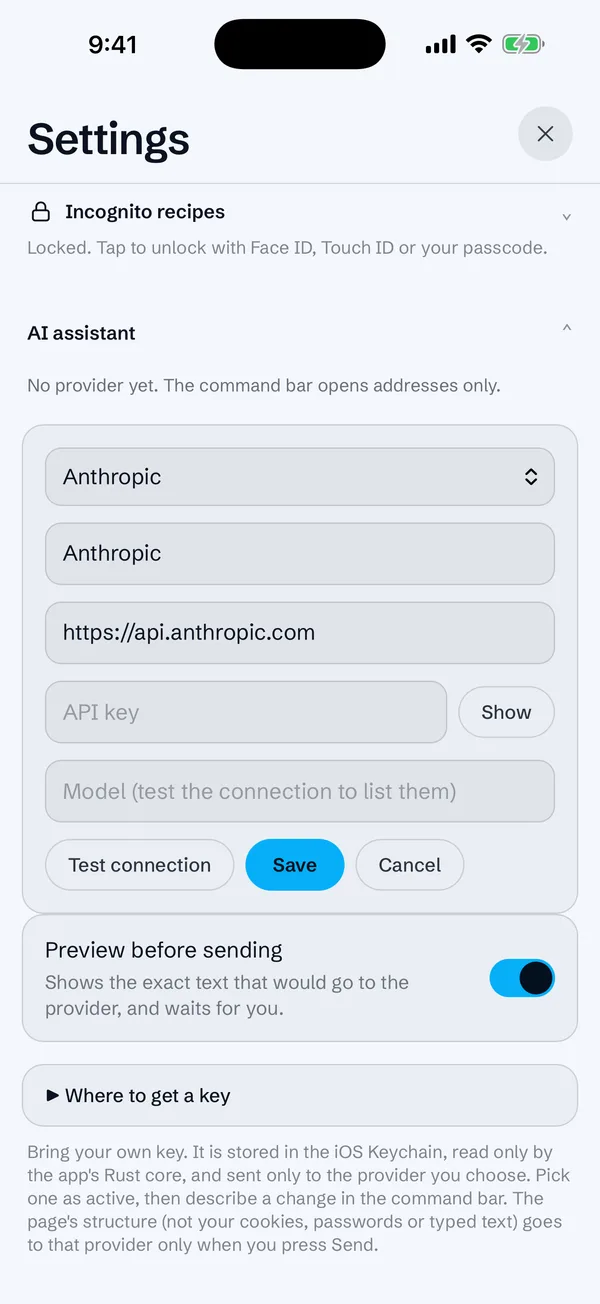
AI assistant settings: provider form with an empty API key field and the Preview before sending switch on.

Favorites

Quick access, with a pulse.

Star any page, history entry or recipe. The first six form the fan. Pages show unread badges, and raise a local notification when a count in the page title rises while you are elsewhere. No push, nothing leaves the phone.

Incognito

A second set, behind Face ID.

Swap to separate favorites and recipe choices, gated by Face ID, Touch ID or your passcode. It is a screen lock for whoever is holding the phone, not encrypted storage.

Appearance

Light, dark, or your system.

The app follows your choice and passes it on to sites that respect the system color scheme. Pull to refresh works on the page itself.

Screens

Straight from the simulator.

Real captures of the app on iPhone 17 Pro Max and iPad Pro 13-inch. Usage numbers are sample data.

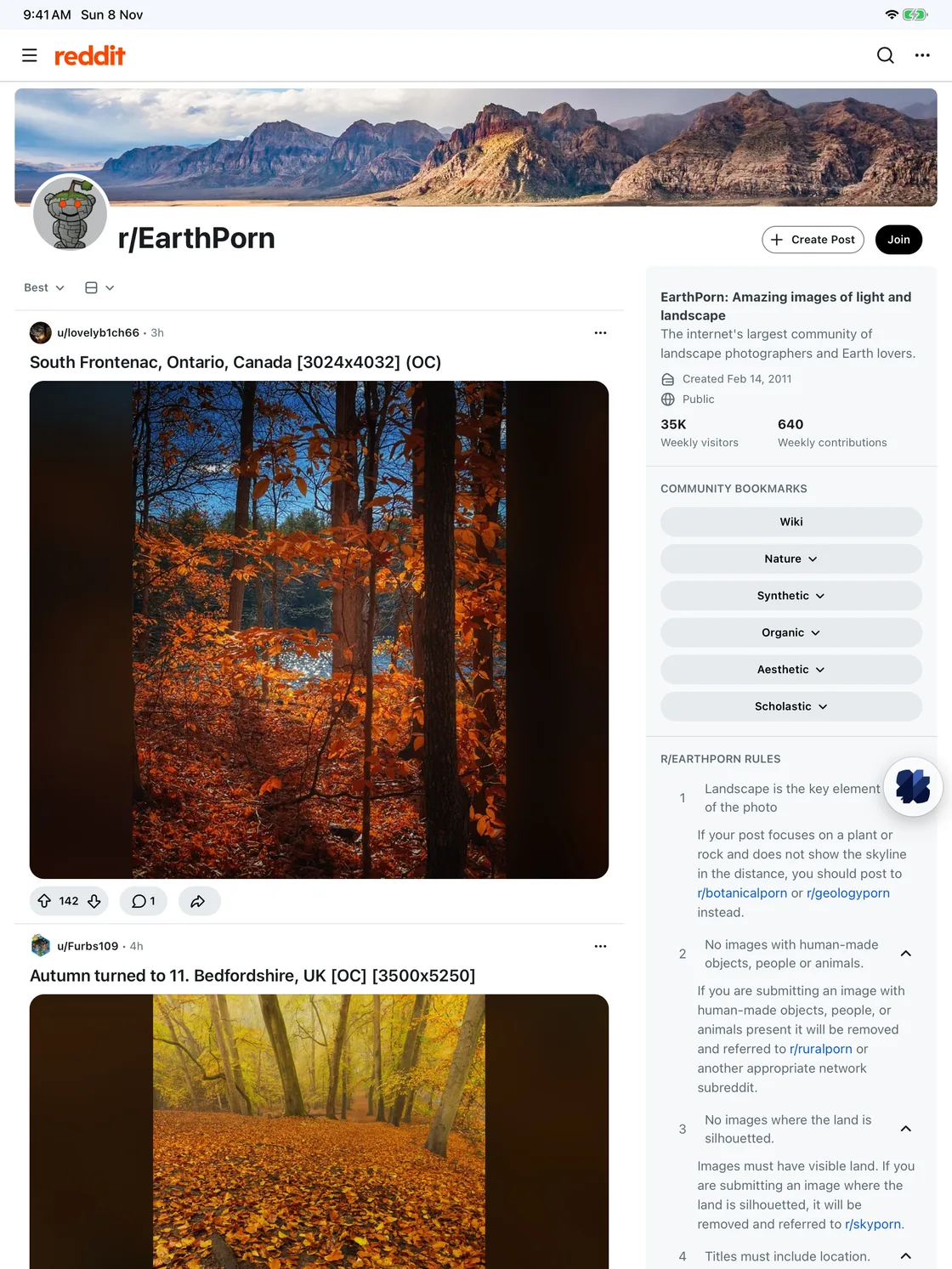
OpenMedia on iPad: a wide Reddit page with the floating button.
On iPad, the same one button over a wider page.
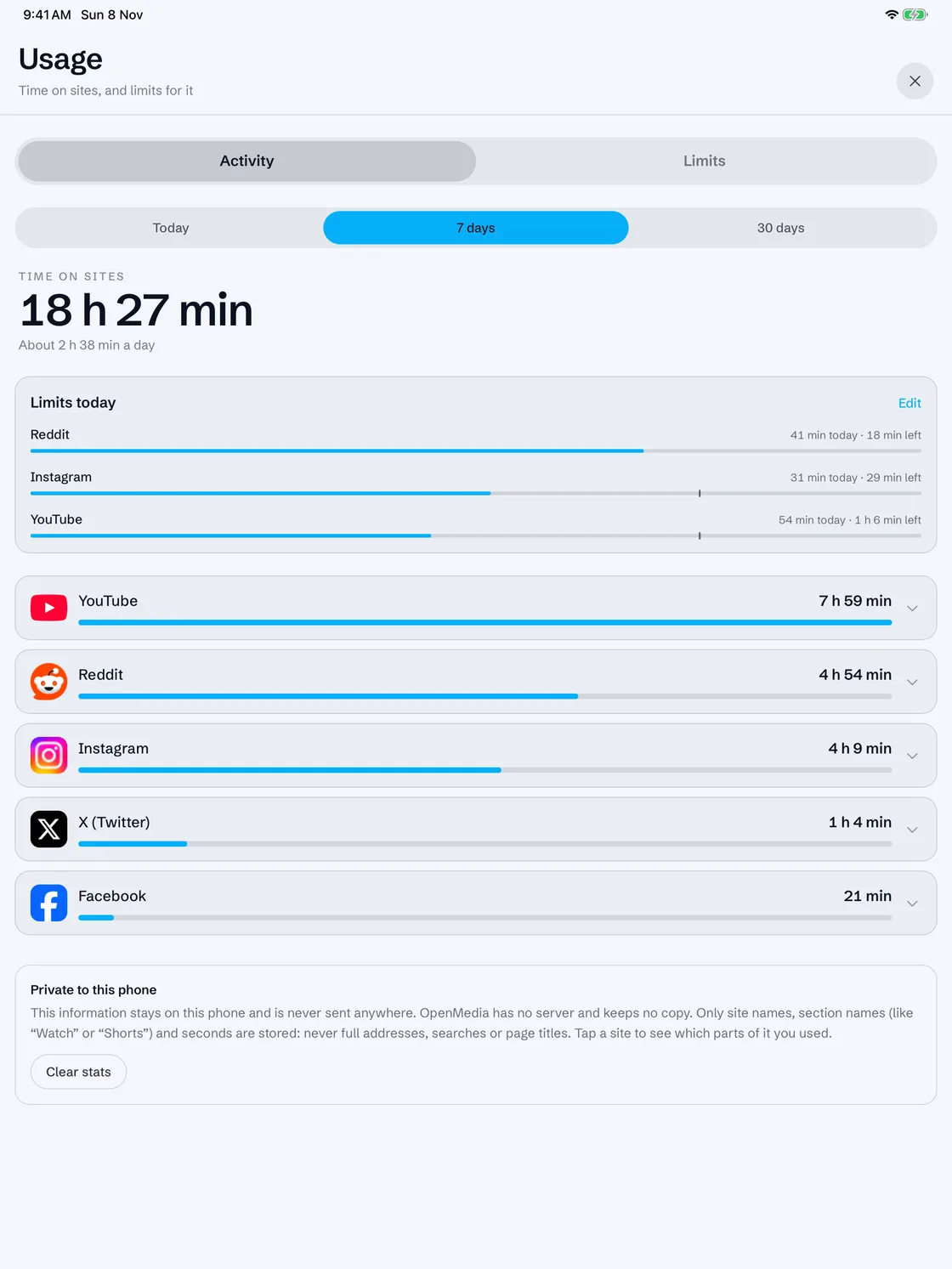
The usage sheet on iPad.
Usage and limits, full width.

Privacy

No server. No telemetry. No account.

These are rules the code is held to, not a policy page. Anything that breaks one is a bug.

01

No backend

There is no server we run. No telemetry, no analytics, no crash reports that leave the device, and no account to create.

02

Only the networks you pick

Requests go to the sites you open and, only when you ask, to the AI provider you configured. Nothing else.

03

Keys stay in Rust

API keys live in the system secure store and are read only by the app's Rust core. They never reach the interface, logs, recipes or exports.

04

Sites are fenced in

Each session is pinned to its domain. A link to somewhere else opens in a separate popup that shares nothing with your profile. Pages get no access to the app beyond one narrow bridge.

05

Customize, never automate

OpenMedia changes what you see. It does not click, like, post, follow or act on a site on your behalf.

06

AI output is untrusted

A proposed recipe is validated in Rust before it touches a page. Any rule that runs script needs your explicit confirmation, recipe by recipe.

Full details are in thesecurity model.

Open source

Read it, run it, fix a recipe.

OpenMedia is licensed MPL-2.0. Site knowledge lives in recipes with their own DOM fixtures, so improving how a site looks is a data change you can review. The native web view is an in-repo Tauri plugin written in Swift.

  • Tauri v2
  • Rust
  • React 19
  • TypeScript
  • Vite
  • Tailwind CSS v4
  • Zustand
  • Vitest
  • WKWebView

Runs on iOS, Android and macOS. Linux and Windows are planned. Early release: physical-device behavior and real AI-provider requests are still being verified.